
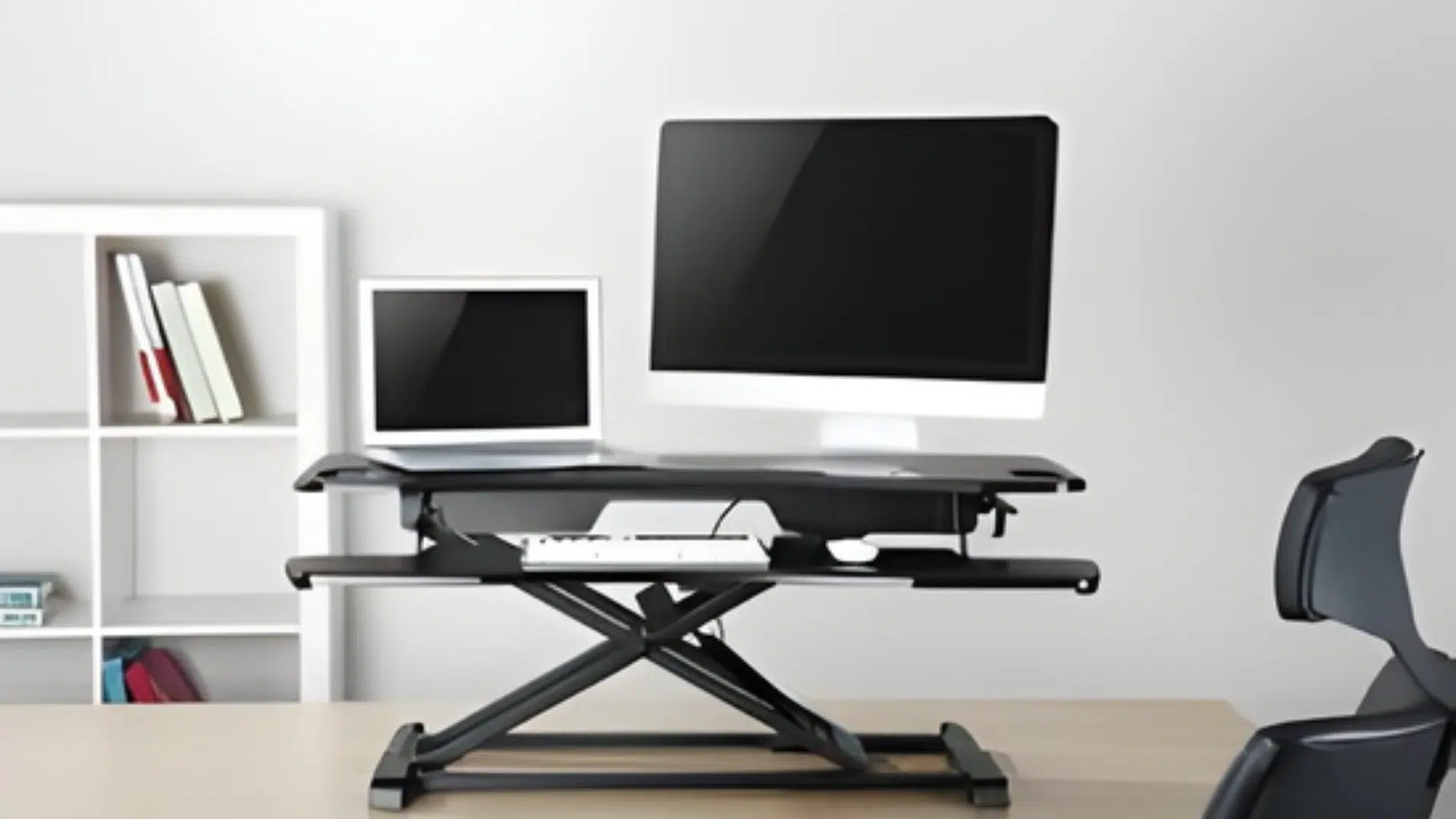
I remember staring at one in my coworker’s cubicle and thinking, what is a riser desk anyway? It looked like a little platform sitting on top of her regular desk.
Nothing fancy, just a simple piece of equipment that lets her stand up while working. Turns out, that’s exactly what it is.
A riser desk sits on your existing desk and lifts your monitor and keyboard to standing height. You don’t need to buy a whole new desk or drill anything into walls.
Pretty straightforward, right? But there’s more to it than that. I’ve been using one for six months now, and I’ve learned a few things. Some good, some not so much.
What Is a Riser Desk?
A riser desk is basically a platform that sits on top of an existing desk. It raises the work surface so someone can stand while they work. Simple as that.
But who actually needs one? Well, it’s perfect for people who sit all day and want to switch things up without buying a whole new desk. Office workers love them. So do remote employees working from home.
They’re also great for anyone dealing with back pain or stiff shoulders. Standing for part of the day helps, and a riser desk makes that possible. Plus, they work in small spaces because they don’t take up extra room.
If your setup is at home, adding simple DIY wall decor ideas behind your screen can make the space feel more put-together without taking up desk space.
Types of Desk Risers
These are the two main types of desk risers: manual models you lift by hand and electric models you control with buttons.
| Basis | Manual Desk Riser | Electric Desk Riser |
|---|---|---|
| How it adjusts | You lift/lower by hand (spring, pneumatic, or lever assist) | Motor raises/lowers with buttons |
| Ease of use | Takes a bit of effort, especially with heavier setups | Very easy, minimal effort |
| Speed | Usually quick, but it depends on the lift design | Consistent speed, usually smooth |
| Price | Usually lower | Usually higher |
| Noise | Often quiet; some models can thump when lowering | Motor noise while moving |
| Weight handling | Varies; can feel heavier near max capacity | Often handles weight changes more comfortably |
| Fine-tuning height | Some models have set points; others allow flexible stops | More precise control, often smoother small adjustments |
| Switching frequency | Good if you switch a few times a day | Better if you switch many times a day |
| Maintenance | Fewer electronic parts, simpler long-term | Motor and electronics add more parts that can fail |
| Best for | Budget buyers, simple setups, occasional switching | Frequent switching, mobility limits, convenience-first users |
Health Benefits of Using a Desk Riser
A desk riser helps you alternate between sitting and standing throughout your workday, which can positively impact your comfort and overall health. Here are the key benefits you might experience:
- Reduces Lower Back Discomfort: Alternating between sitting and standing throughout the day can help relieve pressure on your lower back and may reduce stiffness from prolonged sitting.
- Improves Posture: Standing encourages better spinal alignment and helps you maintain a more upright position, reducing the tendency to slouch or hunch over your desk.
- Increases Energy and Focus: Many users report feeling more alert and engaged when standing, which may boost productivity during long work sessions.
- Promotes Better Circulation: Standing periodically helps blood flow more freely through your legs and reduces the risks of prolonged sitting.
- Burns Extra Calories: While the difference is modest, standing burns more calories than sitting, typically 50-100 extra calories per hour, depending on your body weight.
- Reduces Risk of Chronic Health Issues: Regularly alternating between sitting and standing may lower the risk of conditions linked to sedentary behavior, including heart disease and metabolic issues.
Desk Riser vs Electric Standing Desk
When people ask what a riser desk is, they often wonder how it compares to those fancy electric standing desks. Both let someone stand while working, but they’re pretty different.
| Feature | Desk Riser | Electric Standing Desk |
|---|---|---|
| Price | Budget-friendly, usually under $200 | Expensive, often $400-$1,000+ |
| Installation | Just place it on the desk | Requires assembly, replaces the entire desk |
| Adjustment | Manual, uses levers or lifts | Electric button, super smooth |
| Space | Sits on the existing desk | Needs dedicated floor space |
| Portability | Easy to move around | Heavy and permanent |
What to Look for When Buying a Desk Riser
Choosing the right desk riser means matching the product to your specific needs and workspace. Here are the factors that actually matter.
- Size and Fit on Your Current Desk: Measure your desk first. Risers often range from about 28 to 40+ inches wide. Many single-monitor setups fit well around 32 inches, while dual setups often need 36 inches or more.
- Height Range and Adjustment Feel : The riser should lift your screen to eye level when standing and drop low enough for sitting. Many adjust within a similar range, often around 5 to 20 inches, depending on the model.
- Weight Capacity and Monitor Support: Check the maximum weight rating before buying. Many risers support around 15 to 35 pounds, covering laptops or single monitors. Dual monitors or heavy equipment require models rated around 40 pounds or more.
- Keyboard Tray Comfort: The keyboard platform should fit both your keyboard and mouse comfortably side by side. Measure your keyboard width and add at least 8 inches for mouse movement.
- Build Quality and Long-Term Use: Materials matter for durability. Steel frames outlast plastic components and handle daily adjustments better. Look for powder-coated finishes and thick wood or metal surfaces; thin materials bow under weight.
Best Desk Riser Models for Home and Office Workstations
Choosing the right desk riser depends on your workspace, budget, and work style. Below are tested models for different scenarios, from budget-friendly options to premium picks for heavy setups.
1. VariDesk Pro Plus
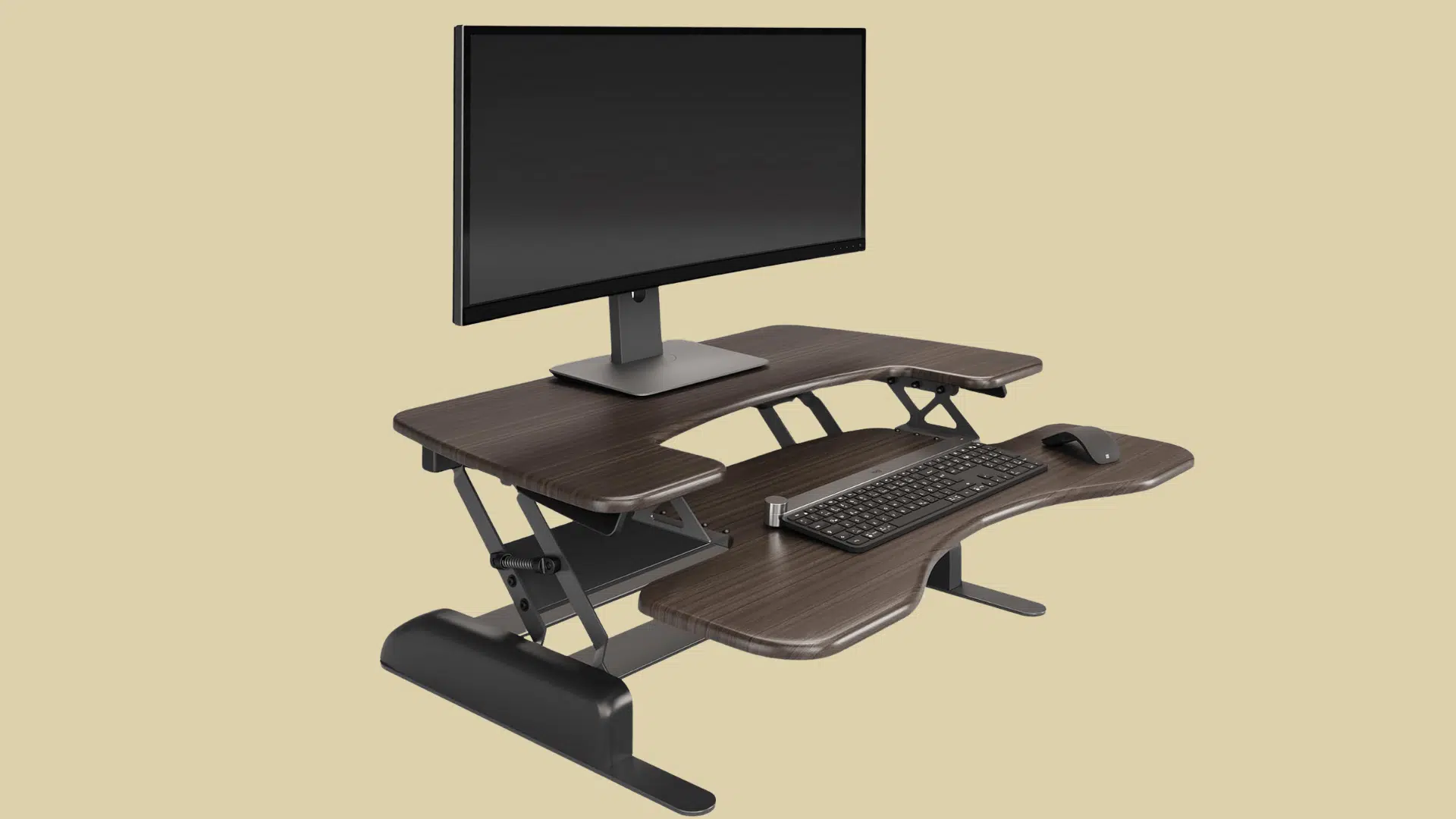
VariDesk Pro Plus is a highly-rated manual converter featuring dual-tier construction and a spring-loaded lift mechanism, built to handle single or dual monitor setups with exceptional stability.
- Key specifications: The VariDesk Pro Plus 36 supports up to 35 pounds and has a 36-inch width, and it adjusts from 4.5 to 17.5 inches. The 48-inch model increases capacity to 45 pounds with the same height range.
- Best for: Users wanting proven reliability and willing to invest in quality construction
- Pros: Smooth spring-loaded lift, sturdy construction, supports heavy dual monitors.
- Cons: Premium price point and bulkier footprint than compact alternatives.
- Price Range: $300-$400
2. Vivo Standing Desk Converter
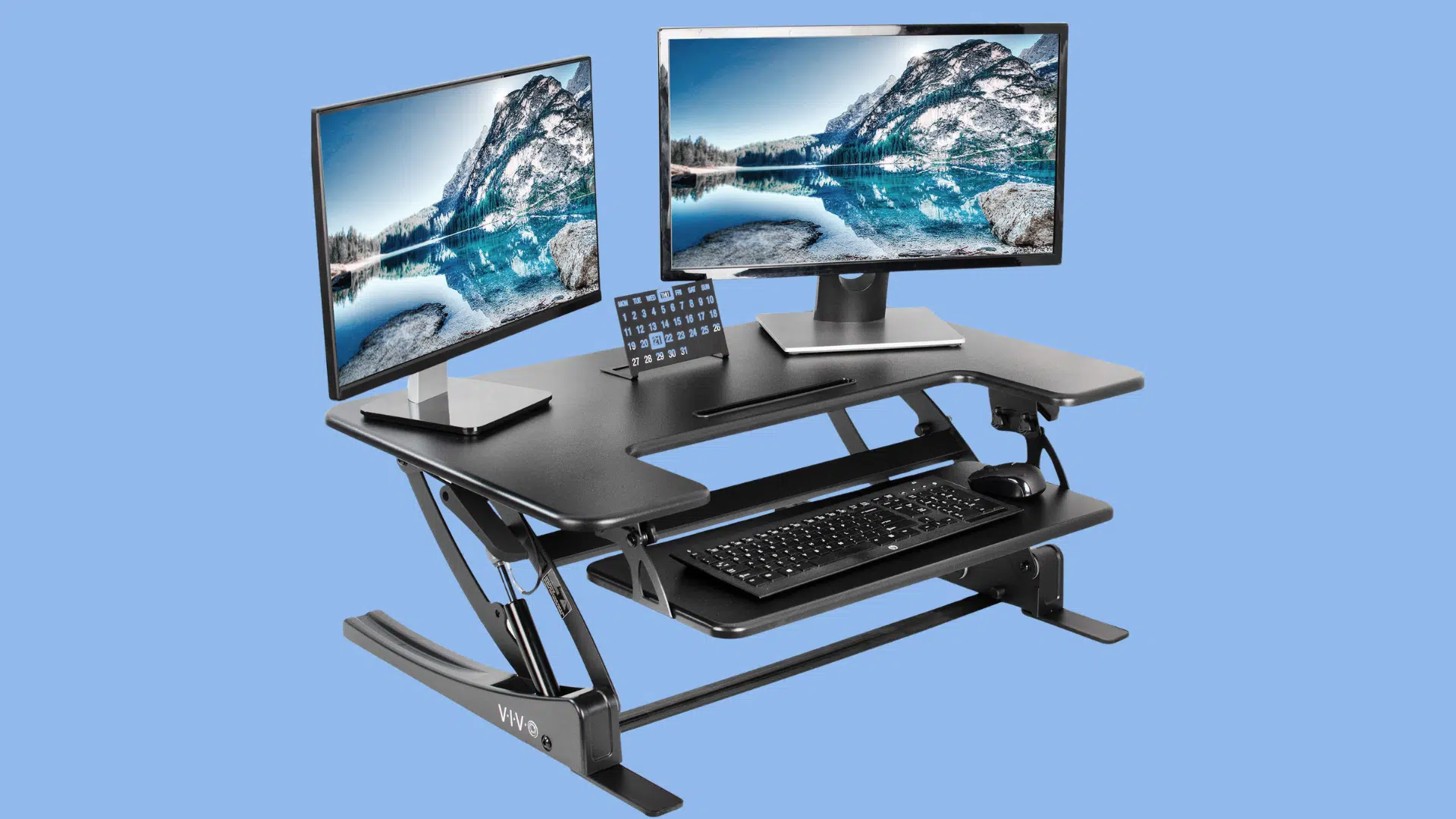
Vivo standing desk is an affordable mid-range option offering a generous workspace and straightforward manual adjustment, ideal for standard office setups without premium features.
- Key specifications: It supports 33 pounds on a 36″ x 22″ platform, can be manually adjusted from 6.5 to 17 inches, and includes a removable keyboard tray.
- Best for: Budget-conscious buyers seeking functional performance without extras.
- Pros: Affordable pricing, spacious platforms, and a removable keyboard tray.
- Cons: Basic features and a less refined adjustment mechanism than premium models.
- Price Range: $150-$250
3. FlexiSpot EM7 (Motorized Desk Riser)
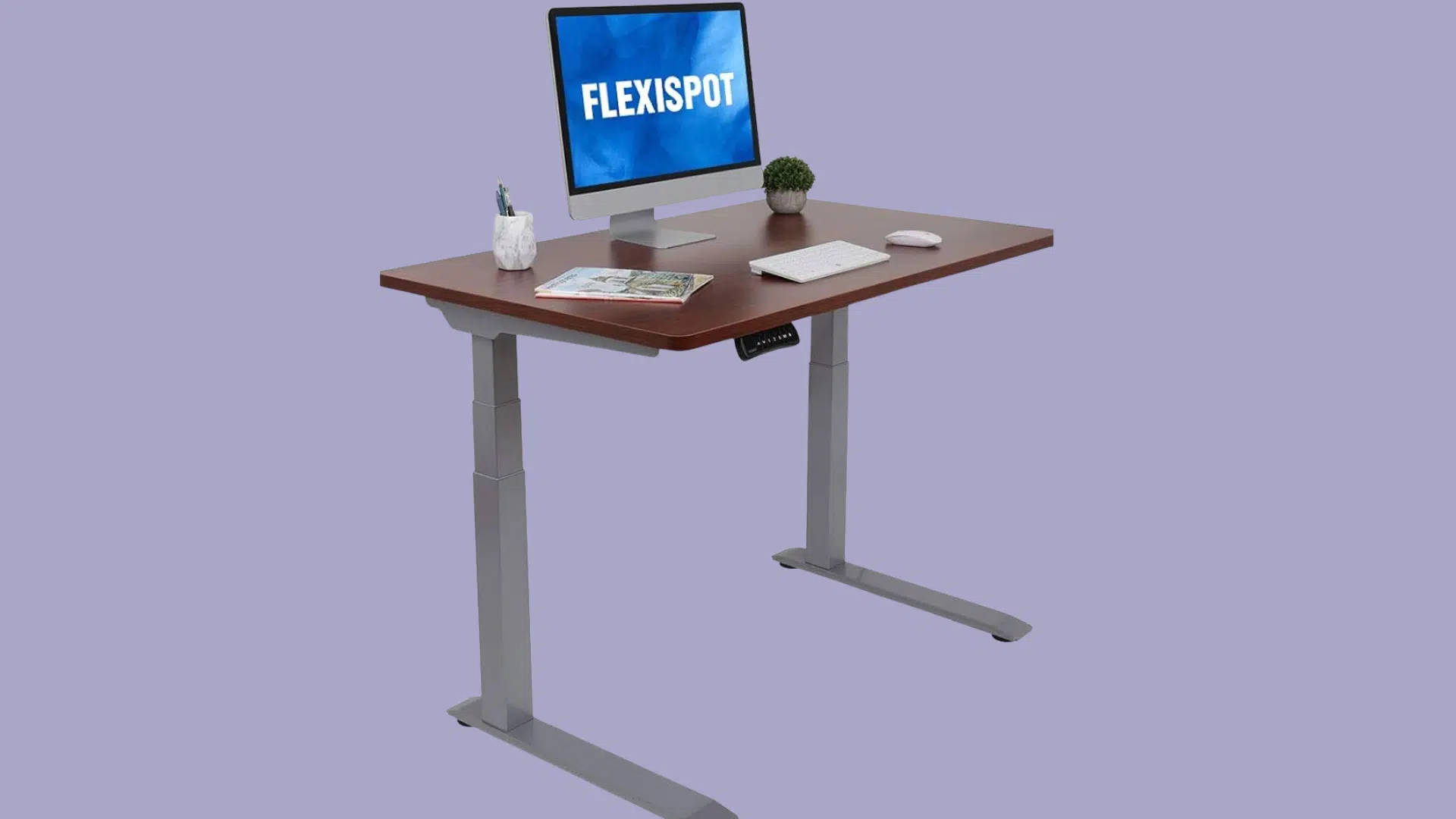
This electric converter eliminates manual lifting. Press a button and the quiet motor adjusts your workspace in seconds. It includes a digital height display and holds up to 44 pounds.
- Key specifications: It supports up to 44 pounds and adjusts electrically from 5.7 to 19.7 inches, with a quiet motor.
- Best for: Frequent adjusters, people with mobility limitations, or anyone who prioritizes convenience.
- Pros: Effortless electric adjustment, digital height display, and quiet motor.
- Cons: Higher cost and requires access to a power outlet.
- Price Range: $400-$500
4. Branch Desk Riser
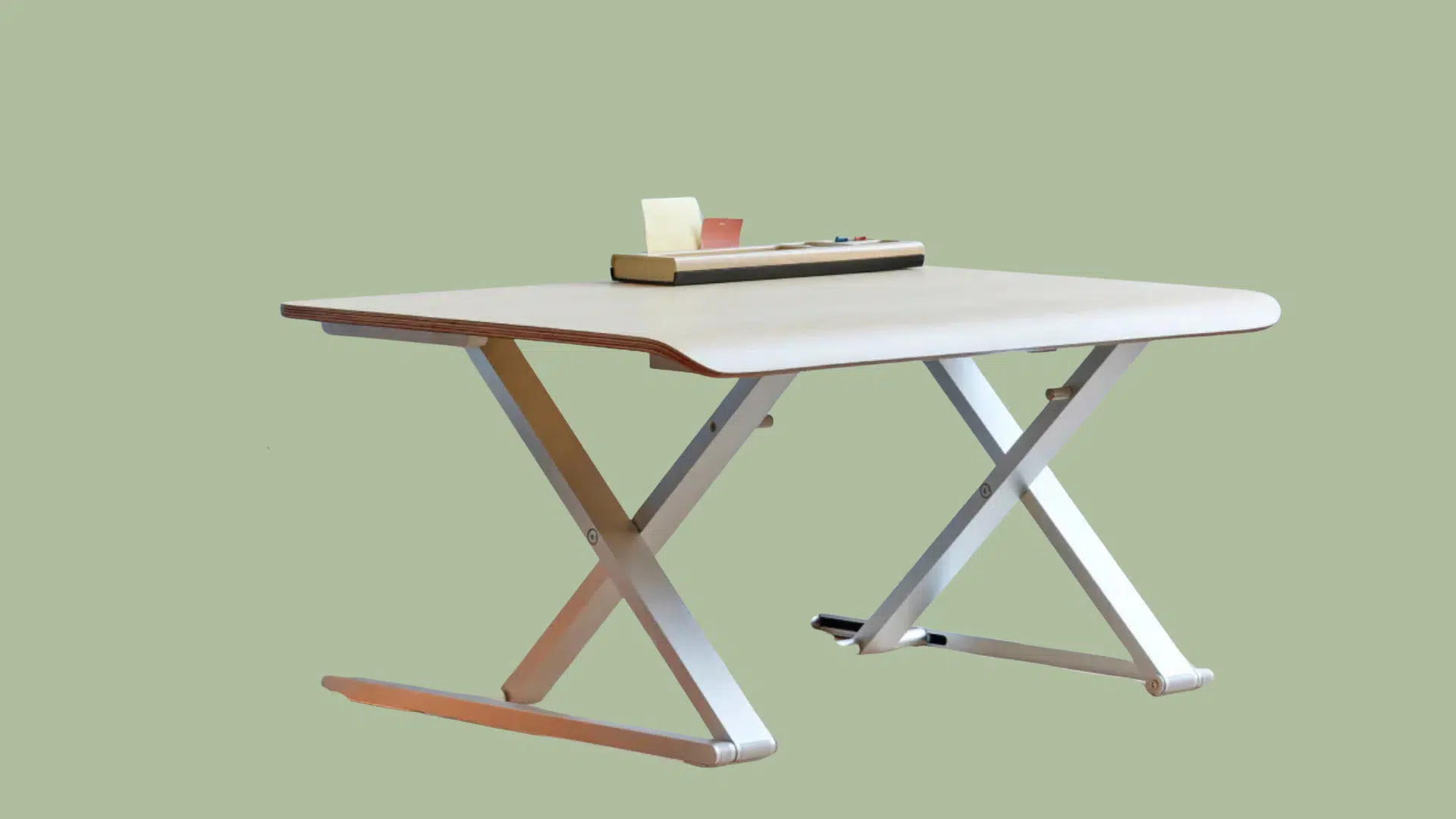
The branch desk riser is a sleek, minimalist converter with a single-surface design and compact footprint, perfect for streamlined workspaces with lighter equipment needs.
- Key specifications: It features a 31-inch-wide single-surface that holds 26 pounds and adjusts manually from 2.5 to 16 inches, with no separate keyboard tray.
- Best for: Space-conscious users prioritizing clean aesthetics over heavy equipment support.
- Pros: Minimalist design with compact footprint and smooth manual adjustment.
- Cons: Lower weight capacity and no separate keyboard tray.
- Price Range: $250-$350
5. Mount-It! Standing Desk Converter
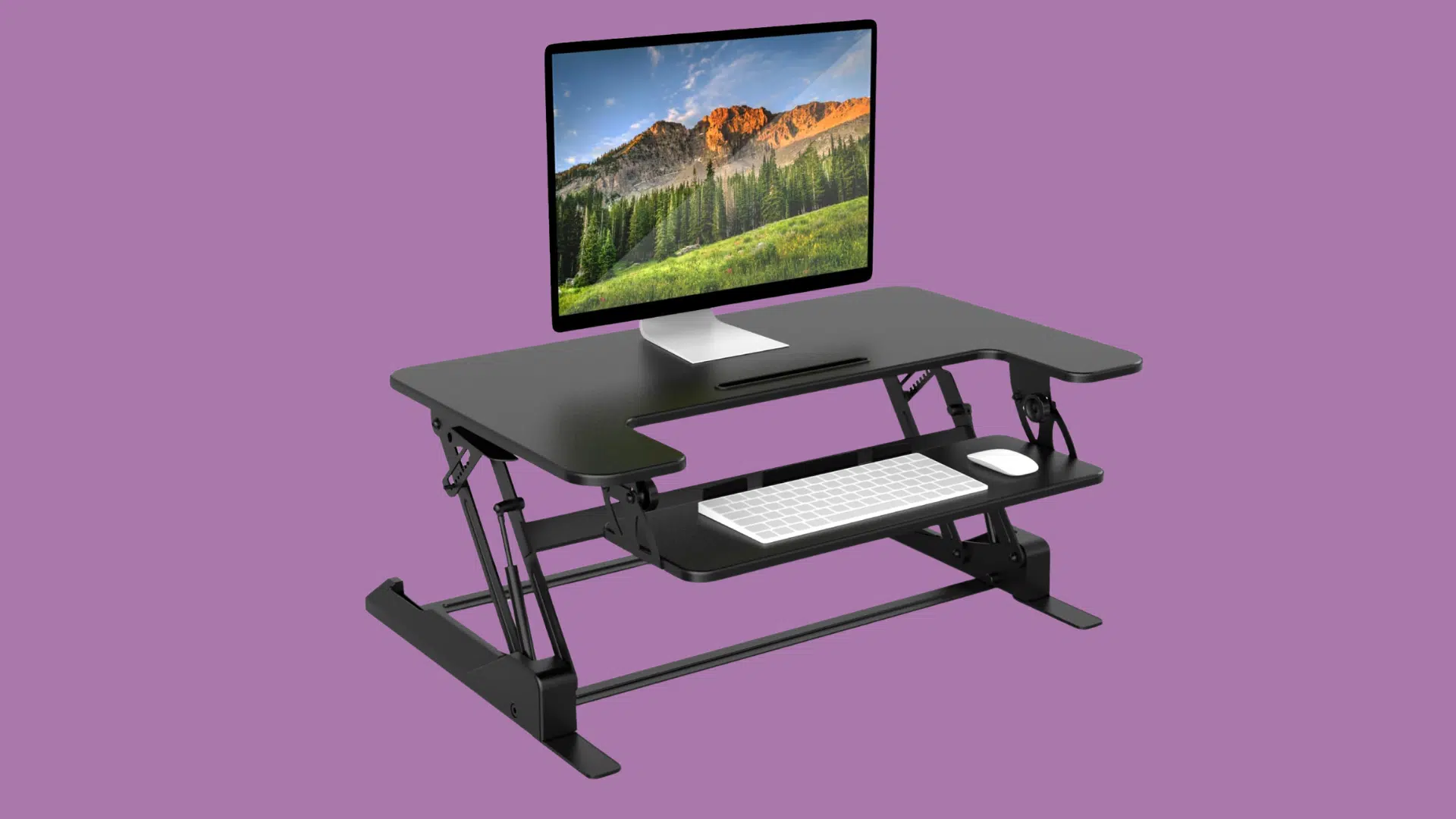
Mount-It standing desk converter is an entry-level converter available in multiple configurations, offering basic sit-stand functionality at an accessible price point for beginners.
- Key specifications: Specifications vary by model; for example, the MI-7934 supports 33 pounds and adjusts from 6.25 to 16.5 inches using either a gas lift or a manual mechanism, with many models including a keyboard tray.
- Best for: First-time standing desk users who are testing the concept before committing.
- Pros: Budget-friendly entry point with a variety of models to meet different needs.
- Cons: Lighter construction and weight capacity vary significantly by model.
- Price Range: $100-$150
6. Ergotron WorkFit-Z Mini
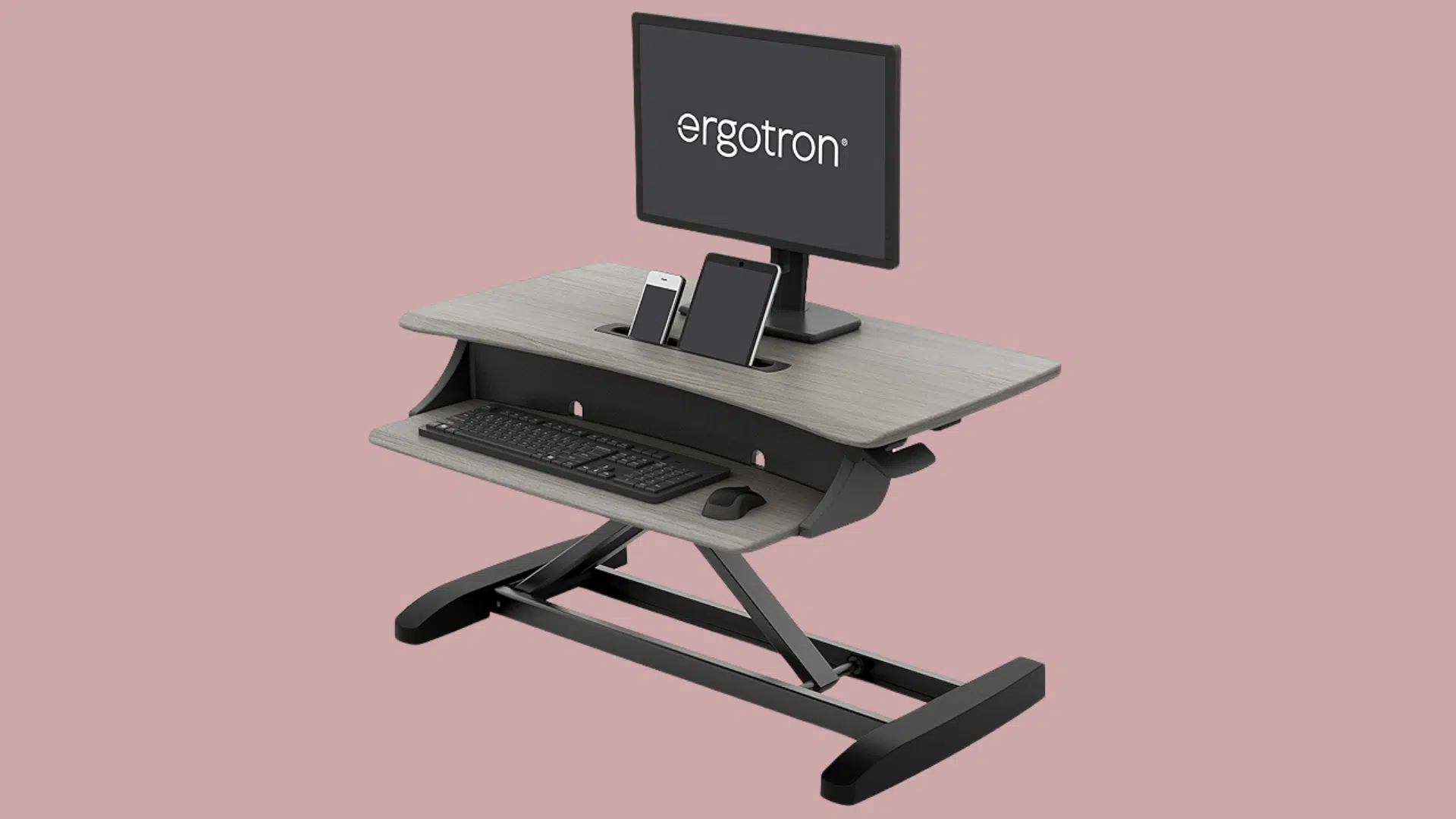
Ergotron WorkFit-Z Mini is a laptop-specific riser with a compact design and spring-assisted adjustment, designed for mobile workers who use external keyboards and mice.
- Key specifications: It holds up to 25 pounds and adjusts from 5.4 to 17.9 inches using spring-assisted manual adjustment, with an included keyboard tray
- Best for: Laptop users who want a simple, space-saving solution for external peripherals.
- Pros: Compact, laptop-focused design with a spring-assisted lift and a small footprint.
- Cons: Limited to laptop use only, not suitable for monitors.
- Price Range: $200-$300
Choosing the right desk riser is all about matching your needs with the features that matter most, from weight capacity and height range to ease of adjustment and available workspace. With the models above, you’ll find reliable options for every scenario.
Common Problems and Easy Fixes
People who use a riser desk run into a few common issues. Nothing major, but they can be annoying. The good news? Most problems have simple fixes.
| Problem | Why It Happens | Easy Fixes |
|---|---|---|
| Neck strain | The monitor is too low or too high, causing you to tilt your head | Set the top of the screen at eye level or slightly below. Raise a laptop with a stand and use an external keyboard. Lower the monitor if you’re looking up. |
| Wrist discomfort | The keyboard is too high or angled incorrectly, bending your wrists | Lower the keyboard tray. Keep wrists straight (neutral). Add a wrist rest if needed. Check that elbows stay around a 90-degree bend. |
| The desk feels shaky | Weight is too high or poorly balanced, or the riser isn’t stable at full height | Confirm you’re under the weight limit. Put heavier items toward the back and center. Tighten any screws. If it still wobbles, switch to a sturdier model. |
| Not enough desk space | The riser takes up surface area and crowds your workspace. So a quick declutter checklisthelps you clear what you do not need. | Remove non-essentials. Use vertical storage. Consider a smaller riser. Add a monitor arm to free up platform space. |
Desk Riser Maintenance and Care Tips
Proper maintenance keeps your desk riser functioning smoothly and extends its lifespan. Here are practical tips to care for your converter:
- Clean Surfaces Regularly: Wipe down platforms weekly with a damp cloth to remove dust and debris. Avoid harsh chemicals that can damage finishes or coatings.
- Check Hardware Periodically: Inspect screws, bolts, and joints every few months to ensure they’re tight. Loose hardware can cause wobbling and reduce stability over time.
- Lubricate Moving Parts: Apply silicone spray or manufacturer-recommended lubricant to adjustment mechanisms annually. This prevents squeaking and keeps movements smooth.
- Distribute Weight Evenly: Avoid placing all equipment on one side of the platform. Uneven weight distribution can strain the lifting mechanism and cause premature wear.
- Adjust Within Weight Limits: Never exceed the manufacturer’s stated weight capacity. Overloading can damage springs, motors, or structural components.
- Handle Adjustments Gently: Raise and lower the riser smoothly rather than forcing it. Aggressive adjustments can wear out gas springs or electric motors faster.
The Bottom Line
So, what is a riser desk? It’s a simple tool that can change how someone works. I’ve covered the basics, compared it to electric desks, and shared fixes for common issues. Nothing complicated.
Here’s what I know for sure: a riser desk won’t solve every problem, but it gives people options. Standing for a few hours beats sitting all day. And the best part? It doesn’t cost a fortune or require a complete office makeover.
If back pain or stiffness is wearing someone down, it’s worth trying. Start small. Stand for 30 minutes, then sit. Build up from there. Your body will thank you.
Ready to make a change? Check out some riser desk options and see which one fits your workspace best.